YOUR BOOKS. YOUR RHYTHM.
Turn pages
without touching.
Read your EPUBs with a simple finger gesture.
For iPhone, iPad and Mac
MID-RIDE. MID-CHAPTER.
Keep reading.
Keep your rhythm.
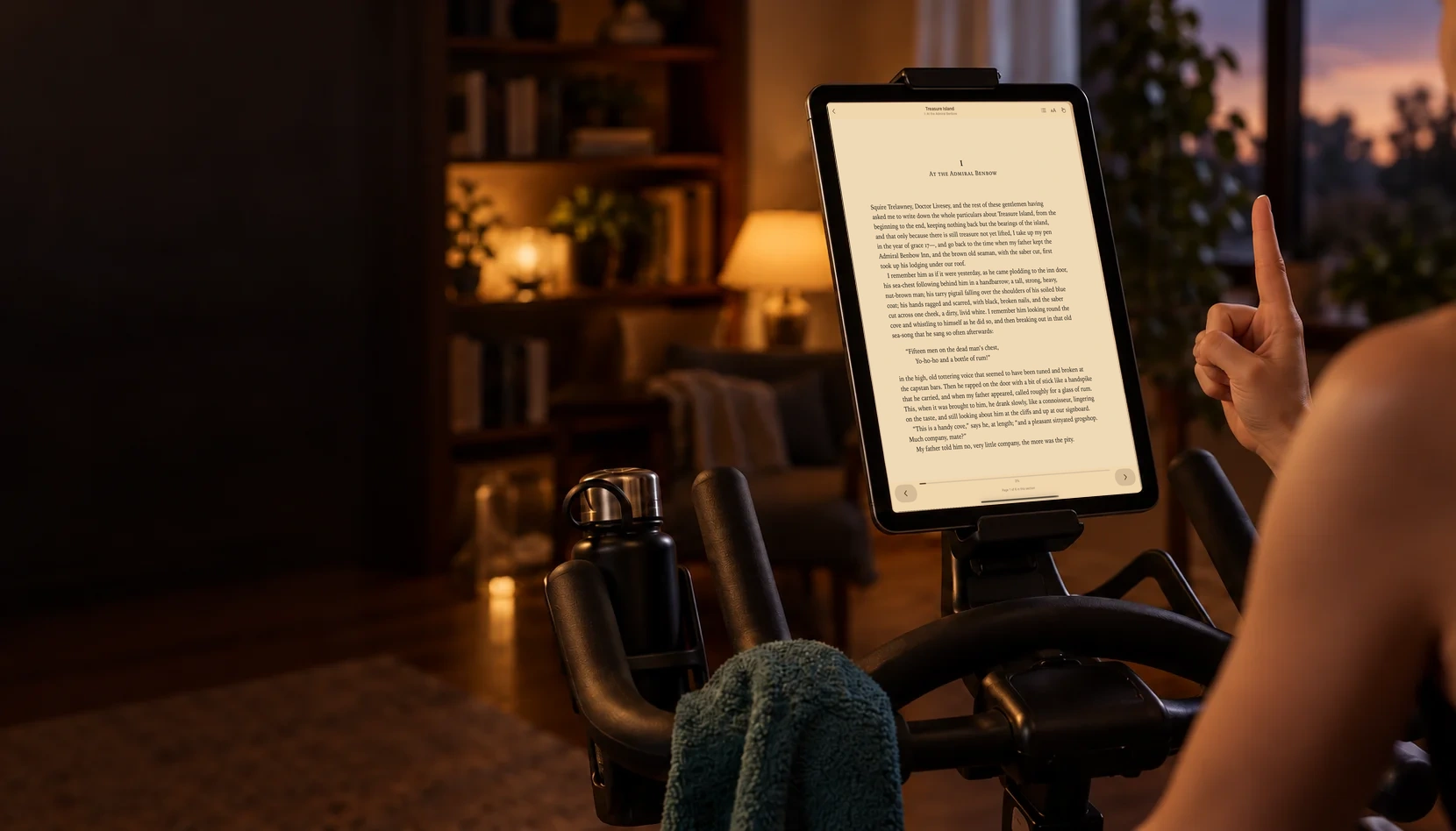
Raise one finger and swipe to turn the page without touching the screen. Watch a 21-second look at PageFlick.
Prerelease preview with illustrative footage. The video ends with “Coming soon”; PageFlick is now available for iPhone, iPad and Mac.

Read the video description
Illustrative footage shows a reader on an exercise bike with a mounted tablet. She raises a finger and swipes left to turn the page. On-screen text reads: “Mid-ride. Mid-chapter.” “Swipe left. Next page.” “PageFlick. Turn pages without touching.” “Bring your own EPUBs.” “Gestures recognised on your device.” “No video recorded or uploaded.” The video ends with “Coming soon” and “getpageflick.com”. Instrumental music plays, with no speech.
KEEP THE STORY GOING
Your next chapter.
One gesture away.
Bring your own EPUBs
Open the DRM-free books you already own. Your next read is up to you.
Find your reading rhythm
Settle into a treadmill walk or bike session. Turn the page with one finger.
Camera processing on device
Your gestures are recognised on your device. No video is recorded or uploaded.
LESS REACHING. MORE READING.
One finger is all it takes.
Get comfortable, open a book,
and let the next chapter come to you.
Bring a book
Import a DRM-free EPUB from Files. Adjust the text to suit your reading.
Find your position
Secure your device, enable the camera and try the gesture in the practice guide.
Turn the page
Raise one index finger. Swipe left for the next page, or right to go back.
THE READING ROOM
From the PageFlick blog
PageFlick is now on the App Store
Bring your own EPUB, find a comfortable reading position, and turn the page with one finger. PageFlick is available for iPhone, iPad and Mac.

Finding DRM-free EPUBs
What DRM-free means, how to check a book's format, and how to bring your own EPUB library to PageFlick.

A NEW WAY TO TURN THE PAGE
Your next chapter starts here.
PageFlick is now on the App Store for iPhone, iPad and Mac.
Start with one book for free. Add more with the optional one-time Unlimited Books purchase.
Requires iOS 27, iPadOS 27 or macOS 27 or later.