
Getting started with gesture reading
How PageFlick's one-finger gesture works, and what to check before your first reading session.
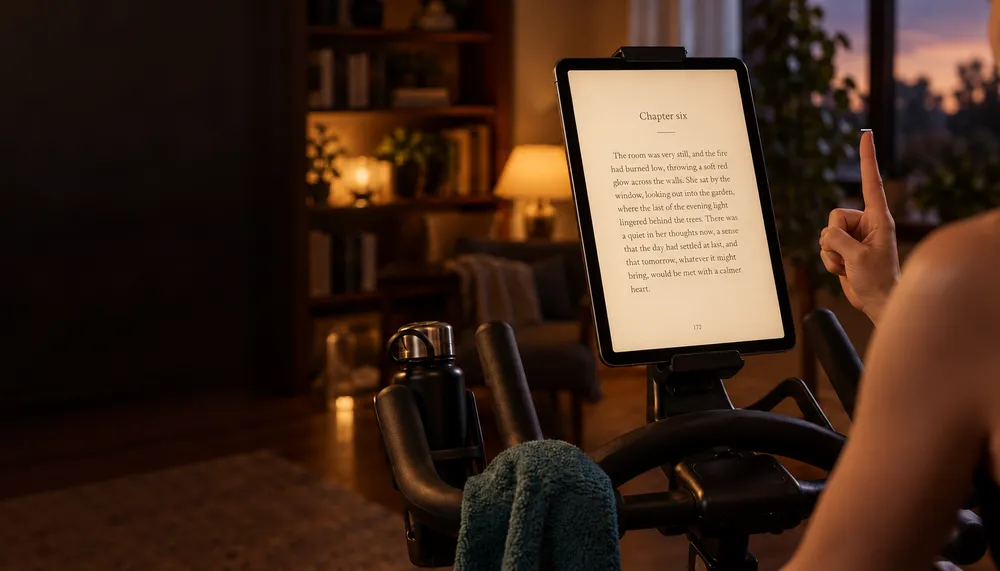
PageFlick is an EPUB reader being developed for treadmill and exercise bike sessions. The idea is simple: place your device where you can see it, keep a book open, and turn pages with one index finger.
PageFlick is coming soon. These notes explain the current beta’s controls so you can get a feel for the app before release.
One finger, two directions
Hold up an index finger with your other fingers curled, keeping your hand in view of the camera. Swipe left to go to the next page. Swipe right to go to the previous page.
After a turn, lower your hand or pause before the next gesture. That gives the detector time to reset, so returning your hand to its starting point does not immediately turn the page back.
You can also use the on-screen reading controls. Gesture tracking is optional.
Start with the practice view
The camera guide includes a practice view. Try it while stationary so you can check your position and learn how far to move your hand.
If a gesture is difficult to trigger, check that the camera can see your index finger and that your other fingers are curled. The sensitivity control in the camera guide and reading settings adjusts how much travel the gesture needs.
Camera permission
The app needs camera permission for gesture tracking. Camera frames are analysed on your device using Apple’s Vision framework. PageFlick does not record or upload video.
The camera runs only while a book or the practice view is active and tracking is enabled. If you choose not to allow camera access, you can use the on-screen controls.
Bring an EPUB
PageFlick opens DRM-free EPUB files. You can import a file using the system file picker, including files stored in iCloud Drive. See our EPUB guide for what to look for when choosing a book.
The current beta requires iOS 27, iPadOS 27, or macOS 27 or later. Check the support page for the current requirements and setup notes.