
PageFlick is now on the App Store
Bring your own EPUB, find a comfortable reading position, and turn the page with one finger. PageFlick is available for iPhone, iPad and Mac.
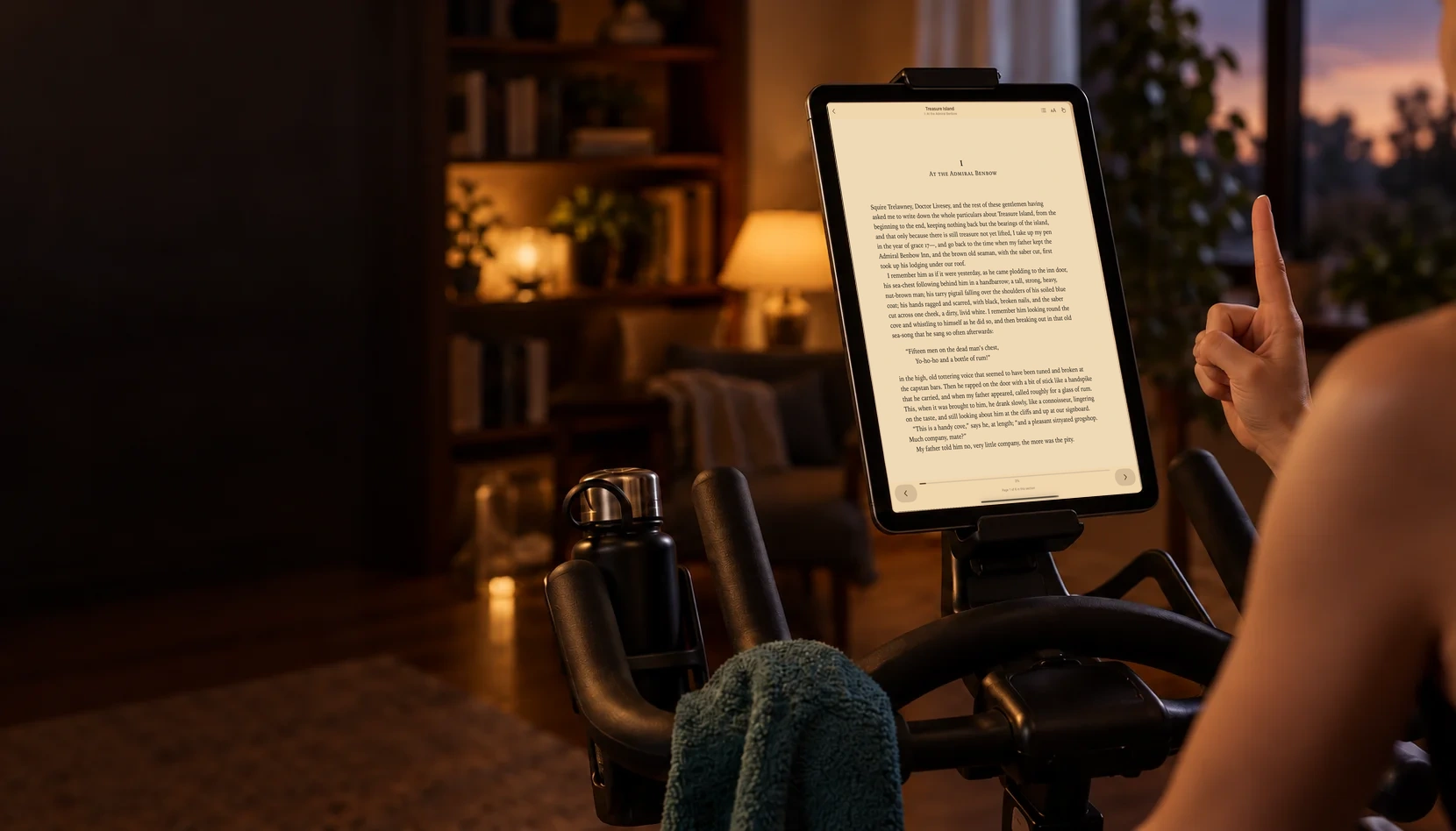
PageFlick is now available on the App Store for iPhone, iPad and Mac.
If you’ve ever balanced a book on an exercise bike or reached across a stand to tap the next page, you’ll know the interruption. PageFlick gives you another way to keep reading. Open your own DRM-free EPUB, raise one index finger, and swipe to turn the page.
A little gesture, another chapter
Hold your index finger up with your other fingers curled. Swipe left for the next page, or right to go back. The camera guide has a practice view and sensitivity control, so you can try the movement while stationary before settling into a reading session.
Gesture tracking is optional. You can use the on-screen reading controls whenever you prefer. If you enable the camera, PageFlick analyses frames on your device. It does not record or upload video.
Bring a book you already own
Import a DRM-free EPUB through the system file picker or Open With. Adjust the text settings and reading theme to suit you, and use the table of contents to find a chapter. Your library saves your books and reading positions on your device.
PageFlick reads EPUB files you bring. It does not support PDFs or books protected by another store. If you’re unsure which files will work, start with our guide to DRM-free EPUBs.
Start with one book for free
The free library holds one book at a time. Finish it, remove it, and import your next read. If you want to keep more books in PageFlick, the optional Unlimited Books upgrade removes that limit with a one-time in-app purchase. You can restore a previous purchase in the app.
The App Store shows the current purchase price for your region. You can try your first book before deciding whether you want a larger library.
Set up your first read
PageFlick requires iOS 27, iPadOS 27 or macOS 27 or later. Download it on a compatible device, import an EPUB, and try the getting started guide. For a mounted tablet, the exercise bike setup guide covers positioning your device and practising the gesture.
Thanks to everyone who has followed PageFlick before launch. It’s time to open a book.
Download PageFlick on the App Store
If you need a hand, email [email protected].